
How the portal works
The client portal is where you and our team exchange documents securely. There is no password to remember, and you can reach it from a computer or your phone. The short answers below cover signing in and everyday use.
One thing worth knowing up front. Your access is linked to your email address, not to a single company. When you sign in, you see every company we have linked to you, each with its own set of folders. If you act for more than one entity, they all appear in the one place.
Signing in
How do I sign in?
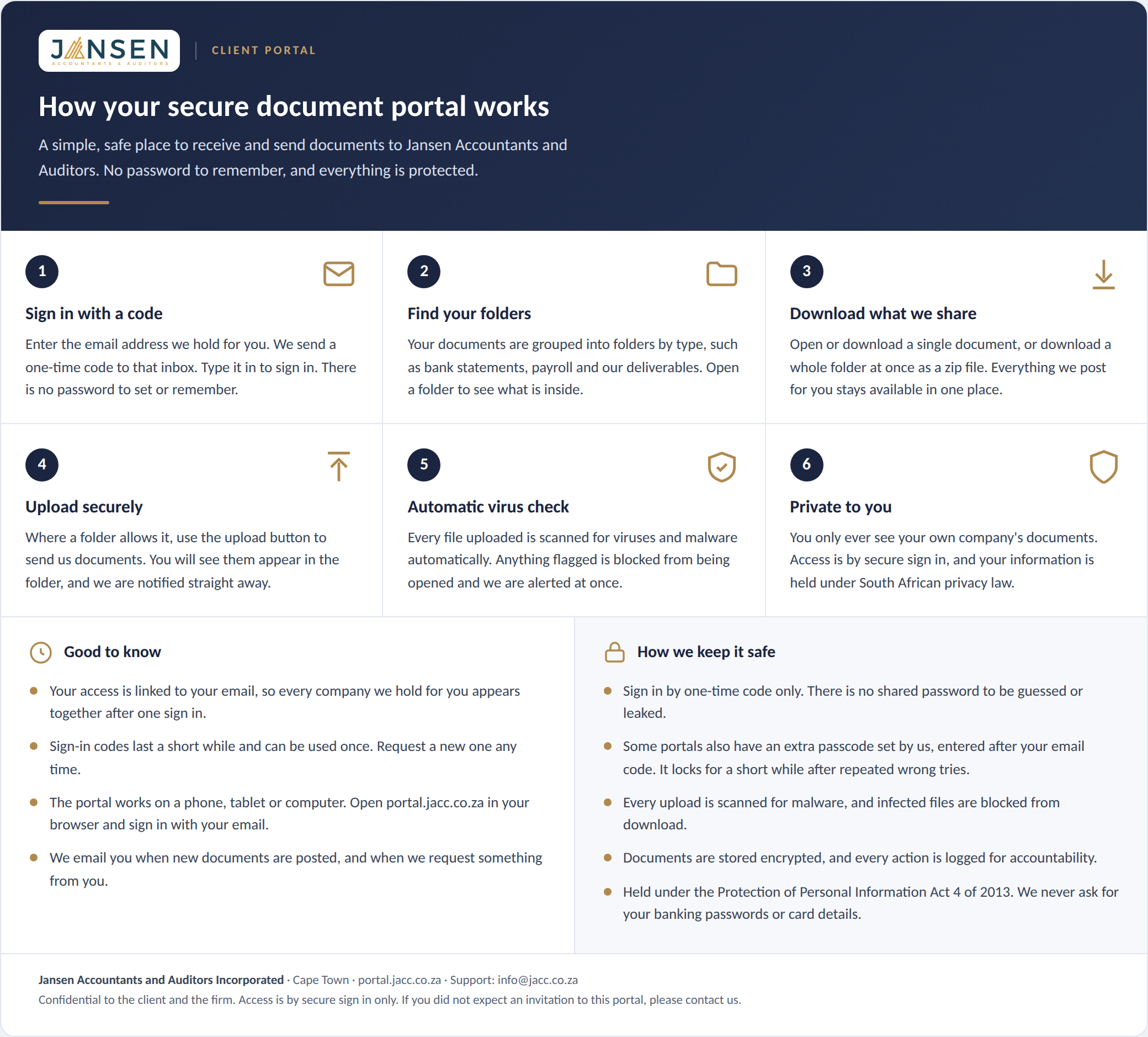
- Go to portal.jacc.co.za.
- Enter the email address we hold for you.
- We email you a one-time code. Enter it on the next screen.
That is it. There is no password to set or remember.
Which email address should I use?
Use the email address we hold for you, which is usually the one this portal was introduced to you on. The portal is linked to your email address rather than to a company name, so the code always goes to you, and everything you are entitled to see is grouped under that single sign-in.
If you would like to use a different email address, or add a colleague, let your engagement contact know and we will set it up.
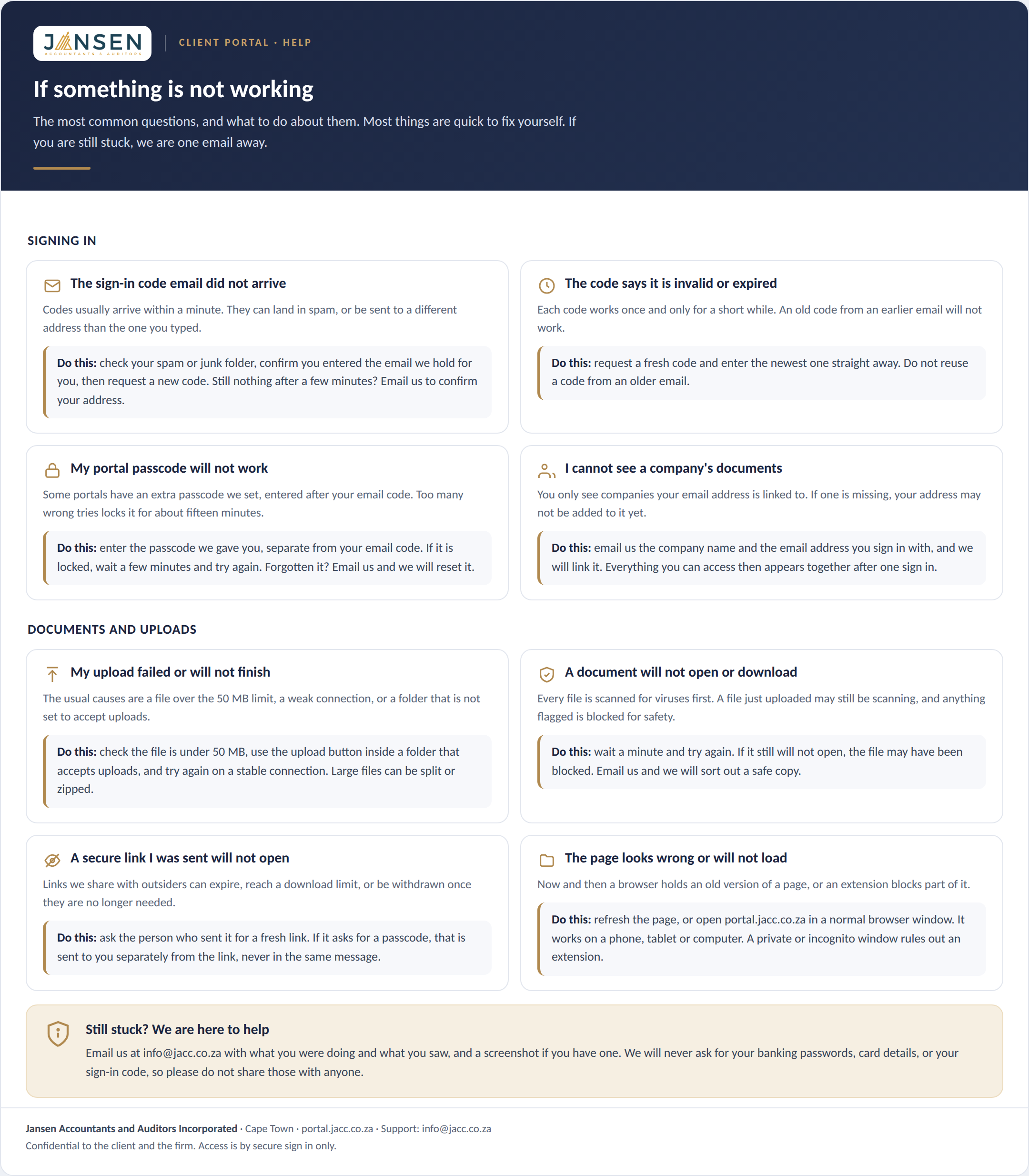
I did not receive the code
Give it a minute, then check your spam or junk folder. The email comes from portal@accounts-jacc.co.za with the subject line about your sign-in code, so you can add that address to your safe senders.
If it still has not arrived, request a new code from the sign-in screen, or contact your engagement contact at the firm and we will check it from our side.
How long is the code valid?
The code is valid for a short period and can be used once. If it has expired, simply request a new one from the sign-in screen.
Do I have to enter a code every time?
No. You only need a code the first time you sign in on a device or browser. After that the portal keeps you signed in on that device, so when you come back you go straight to your documents without a new code.
You will be asked for a fresh code only in a few situations: you sign in on a different device or browser, you use a private or incognito window, you clear your browser data, or you press Sign out. This keeps everyday use easy while still being secure, because there is no password to remember, set or reset.
On a shared or public computer, please press Sign out when you are done, so the next person cannot open your portal.
Can I sign in on my phone?
Yes. Open portal.jacc.co.za in your phone's browser, or scan the QR code shown on the sign-in screen to open it straight away. You then sign in with your email and code in the same way.
Using the portal
Why do I see more than one company?
Because access is linked to your email address. If you are connected to more than one company, for example as a director, trustee or treasurer, each one appears when you sign in, with its own folders. You only ever see the companies we have linked to you.
What are the folders for?
Each company has folders set up by your engagement team for the work in hand. Common ones include:
Requests from us Bank statements Audit prepared-by-client Payroll inputs Our deliverables
Some folders are for you to upload into, and some hold documents we have prepared for you. The label on each folder tells you which is which.
How do I upload or download documents?
Open the company, then open a folder. To share a document with us, use a folder marked for upload and add your file. To collect something from us, open the relevant folder and download it. Downloads open through a secure, time-limited link.
What are the messages at the top of my portal?
From time to time we post a short notice at the top of your portal, for example to let you know an audit is starting or that a deadline is coming up. Notices appear when you sign in and do not send you an email. They stay until we remove them or they reach their end date.
Do I always see the latest version of a document?
Yes. If we replace a document with an updated version, your portal always shows the current one in its place. You do not need to look for the newest file; the latest is what you see. We keep the earlier versions on our side for our records.
Will the portal remind me about outstanding items?
If we have asked you for something and it is due soon or overdue, the portal may send you a short reminder by email. Reminders are spaced out, not daily, and stop as soon as the item is provided. You can always see what is outstanding under Requests from us.
What emails will I get from the portal?
Only what is useful. You will get a one-time code each time you sign in, a note when we post new documents for you, a note when we request something, and the occasional reminder if something is outstanding. Notices and documents themselves do not email you. We keep portal email deliberately light.
Can I see my recent sign-ins?
Yes. At the bottom of your portal there is a Your recent access link that shows your recent sign-ins and the documents you opened. If you ever see something there you did not do, contact us straight away.
Can you share a document with someone outside the firm for me?
Yes. Ask your engagement contact and we can send a specific document to a third party, for example your bank or attorney, through a secure link that expires and can carry a passcode. We do this from our side so your portal access stays private to you.
Is my information kept private?
Yes. Only you and the members of our team assigned to your work can see your documents. Information is handled in line with the Protection of Personal Information Act 4 of 2013, files are held securely, and download links expire shortly after they are opened.
Who do I contact if I am stuck?
Contact your usual engagement contact at Jansen Accountants and Auditors. We are happy to help with access, adding a colleague, or anything on the portal that is not clear.
Security and malware protection
How is my information protected?
Access is by secure sign in only, using a one-time code sent to your email. There is no shared password that could be guessed or leaked. Your documents are stored encrypted, you only ever see your own company's information, and every action is recorded. We hold your information under the Protection of Personal Information Act 4 of 2013.
Why am I asked for a passcode as well as the email code?
For some portals we add an extra passcode on top of the email one-time code, as a second layer of security. If your portal has this, you enter the passcode once after signing in, and again if needed to download a document. We give you the passcode separately from your sign-in. If you do not have one, you will not be asked for it. Contact us if you need it reset.
Are uploaded files checked for viruses?
Yes. Every file uploaded to the portal is automatically scanned for viruses and malware. This happens on our side, within about a minute of the upload, without you needing to do anything.
What happens if a file is flagged?
If the scanner flags a file, it is immediately blocked from being opened or downloaded and our team is alerted. The file is kept aside as evidence and is not opened. If this happens to something you sent, we will contact you for a clean copy.
Will you ever ask for my banking or card details?
No. The portal is only for exchanging documents. We will never ask you to enter banking passwords, card numbers or one-time payment codes here. If you ever receive a message claiming to be us and asking for those, do not respond, and contact us on info@jacc.co.za.
Where are my documents kept?
Documents are held in secure, encrypted cloud storage in the European Union region, with access limited to you and the members of our team assigned to your work. Nothing is shared outside the firm without your instruction.